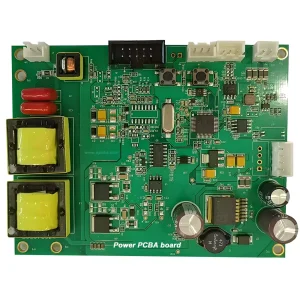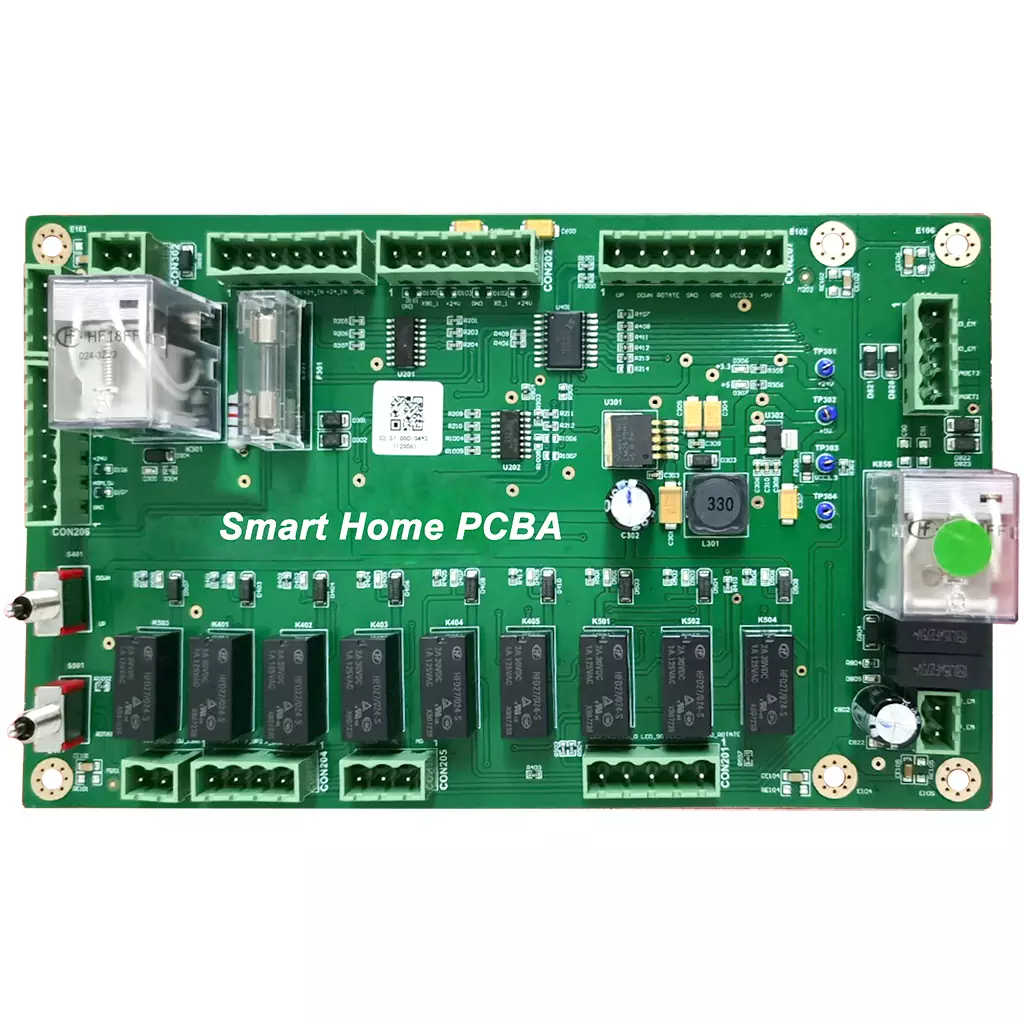
Smart Home PCBA: What Actually Matters for Your Product
If you’re building smart home products for the global market, here’s a truth you already know: the performance, reliability, and user experience of your final product all come down to one thing—Smart Home PCBA. Whether you call it Smart Home PCBA, Home Automation PCB Assembly, or just “the brain of the device,” it’s what determines everything: power efficiency, wireless stability, how easy it is to mass-produce, and whether your product passes CE or FCC without a last-minute redesign.
This guide covers what you actually need to know about Smart Home PCBA: how to design it right, what manufacturing standards actually matter, real-world applications, and how to pick a production partner that won’t let you down.
What Is Smart Home PCBA? (In Plain English)
Smart Home PCBA is just a fancy term for the assembled circuit board that makes your smart device smart. You take a bare PCB, solder on a bunch of components—microcontroller, wireless chip, sensors, power management stuff—and you’ve got a PCBA.
What makes it “smart home” specific? It’s optimized for the way these devices actually live: low power draw (because nobody wants to change batteries every week), compact size (because in-wall switches don’t have much room), reliable wireless (because “the app says device offline” is the #1 customer complaint), and the ability to run 24/7 for years without failing.
Whether it’s a simple smart plug or a whole-home security system, the PCBA is what makes it work—or not.
Why Bother with a Purpose-Built Smart Home PCBA?
You could technically stuff any old circuit board into a smart device. But if you want a product that actually works well and doesn’t come back as warranty claims, here’s why a purpose-built Smart Home PCBA matters:
Smaller, Smarter Designs
Smart home devices are getting tiny—think in-wall switches, mini sensors, compact plugs. A well-designed PCBA uses surface-mount tech, HDI, and smart component choices to pack everything into a fraction of the space. You can’t do that with off-the-shelf boards.
Built for 24/7 Use
These things run all day, every day, for years. A good Smart Home PCBA isn’t just assembled—it’s engineered for longevity: overcurrent protection, thermal management, components rated for continuous use. Skimp here, and you’ll pay for it in field failures.
Power Efficiency That Actually Matters
Battery-powered sensors need to last months or years, not weeks. Mains-powered devices need to meet standby power regs. A properly designed PCBA optimizes for both—low-power MCUs, sleep modes, efficient voltage regulation. It’s the difference between “works great” and “dead battery again.”
Easier (and Cheaper) to Mass-Produce
If your design isn’t optimized for manufacturing, assembly becomes a nightmare: soldering defects, low yields, per-unit costs that spiral. A DFM-optimized Smart Home PCBA simplifies production, cuts defects, and lowers cost—especially at scale.
Regulatory Compliance Without the Headaches
CE, FCC, RoHS, UL—the list of acronyms is endless. A good PCBA partner designs for compliance from day one, so you’re not scrambling to redesign after failing EMC testing. Worth its weight in gold.
Design Rules I’ve Learned the Hard Way
Over the years, I’ve seen plenty of smart home designs fail—not because the idea was bad, but because the Smart Home PCBA had issues you could’ve caught earlier. Here’s what actually matters:
Pick the Right Components (Not Just the Fanciest)
For battery devices: low-power MCUs, sensors with proper sleep modes. For mains-powered: wide input voltage range to handle household fluctuations. And please—don’t overspec industrial-grade parts where consumer-grade works fine. But never cheap out on safety stuff: fuses, surge protectors, isolation components. That’s where you don’t cut corners.
Think About Heat (Even in Plastic Boxes)
Most smart home devices live in small plastic enclosures with zero airflow. If you cram heat-generating components next to sensitive sensors, you’re asking for trouble. Spread things out. Use copper pours and thermal vias. Test it in a real-world scenario before you commit to production.
Wireless Isn’t Magic—It’s Physics
Weak signal? Dropped connections? High power draw? Almost always a PCBA design issue. Isolate your RF section from noisy power circuits. Match impedance on RF traces. Keep high-speed digital lines away from analog sensor inputs. It’s not rocket science, but it’s also not something you can fix with software.
Design for Manufacturing (Or Pay Later)
The best-designed circuit in the world is useless if it can’t be built reliably. Use standard component footprints. Follow IPC design rules. Minimize the number of different part sizes. And talk to your manufacturer early—they’ll tell you what works and what doesn’t before you’re locked in.
Build Compliance In, Don’t Bolt It On
Want to fail EMC testing and delay your launch by months? Design first, ask about compliance later. Instead, build it in from the start: creepage and clearance distances, EMI filtering, RoHS-compliant parts. It’s not extra work—it’s just doing it once instead of twice.
Manufacturing Quality: What You Should Actually Insist On
Not all PCBA manufacturers are the same. Here’s what you should look for—and what you should demand:
The Standards That Matter
-
IPC-A-610 Class 2 for most devices. Class 3 if you’re doing safety-critical stuff (smart locks, smoke detectors, gas sensors).
-
IPC-6012 for the bare PCB itself.
-
RoHS/REACH if you’re selling in EU or global markets. Non-negotiable.
Testing That Catches Problems Before You Do
-
AOI after SMT assembly—checks for missing parts, bad solder joints, misalignment.
-
X-Ray for hidden joints (BGAs, QFNs). If your manufacturer doesn’t do this, run.
-
ICT to verify electrical performance—shorts, opens, wrong component values.
-
FCT to test the board in a real-world scenario: does it connect to Wi-Fi? Do sensors read correctly? Does it draw the right current?
If you’re doing high volume, add thermal cycling and humidity testing. Trust me, it’s cheaper than explaining to a customer why their smart lock died after six months.
Where You’ll Actually Find Smart Home PCBA
Smart Lighting
Bulbs, dimmers, switches, LED controllers. Key challenges: fitting everything in a tiny in-wall box, keeping standby power low, and getting RF to work through metal junction boxes.
Security & Surveillance
Cameras, doorbells, sensors, smart locks. These are safety-critical: reliability is everything. Low power for battery devices, stable video processing, secure wireless. And UL compliance if you’re serious about the market.
HVAC & Climate
Thermostats, air quality monitors, humidifiers. Sensors need to be accurate across temperature swings. Motor control needs to be smooth. And power draw matters—these things run all the time.
Kitchen & Small Appliances
Coffee makers, air fryers, robot vacuums, rice cookers. Thermal resistance is huge here—these devices get hot. Surge protection matters. And they need to survive the kitchen environment.
Energy Management
Smart plugs, energy monitors, solar controllers. Accurate power measurement, high-voltage safety, low standby power. And they live in outlets, so form factor is tight.
Home Entertainment
Speakers, soundbars, streaming devices. Audio signal integrity is the priority. EMI reduction matters—nobody wants buzzing speakers. And thermal management for audio amps.
How to Pick a PCBA Partner (Without Regretting It Later)
Look for Smart Home Experience
Not all PCBAs are the same. A manufacturer who’s done automotive or industrial boards won’t necessarily understand the quirks of low-power, compact, wireless smart home designs. Ask for relevant experience.
One-Stop Shop Saves Headaches
PCB fab, component sourcing, assembly, testing—if one partner does it all, you have one throat to choke when something goes wrong. And something always goes wrong.
Compliance Support Is Non-Negotiable
Your manufacturer should know CE, FCC, RoHS, UL—and be able to guide you through them. If they look confused when you ask, move on.
Supply Chain Matters
Component shortages are real. A good partner has supplier relationships, can recommend alternatives when parts are hard to find, and won’t stick you with counterfeit components because they skipped incoming inspection.
Quick Recap
-
Smart Home PCBA is the assembled board that makes your device work—power, wireless, sensors, control.
-
Design matters: pick the right components, manage heat, optimize RF, design for manufacturing, build compliance in early.
-
Quality standards: IPC-A-610 Class 2/3, IPC-6012, RoHS. Testing: AOI, X-Ray, ICT, FCT. Don’t skip.
-
Applications: lighting, security, HVAC, kitchen, energy, entertainment—each has its own design priorities.
-
Pick a partner with smart home experience, end-to-end capabilities, compliance support, supply chain strength, and real quality control.
Still trying to figure out if your design is ready for production? We’ve been there—more times than we can count. If you want a second pair of eyes on your Smart Home PCBA project—or just need someone to bounce ideas off—the team at OPCBA is happy to help. No pressure, just real talk from engineers who’ve done this before.
Visit opcba.com to start the conversation.